Playable by Claude
Not an article — a skill. The recipe that lets a Claude Code agent boot, drive, and screenshot a DragonRuby game with no display attached, written as a SKILL.md you can drop straight into .claude/skills/. The companion DragonRuby skills are bundled below.
This page is a skill, not prose. Everything below is the literal content of the skills the agent uses to give itself eyes on a game it's editing — frontmatter and all. Copy any block into your-game/.claude/skills/<name>/SKILL.md and the next session picks it up automatically. The lead skill is playable-by-claude; the rest are its companions.
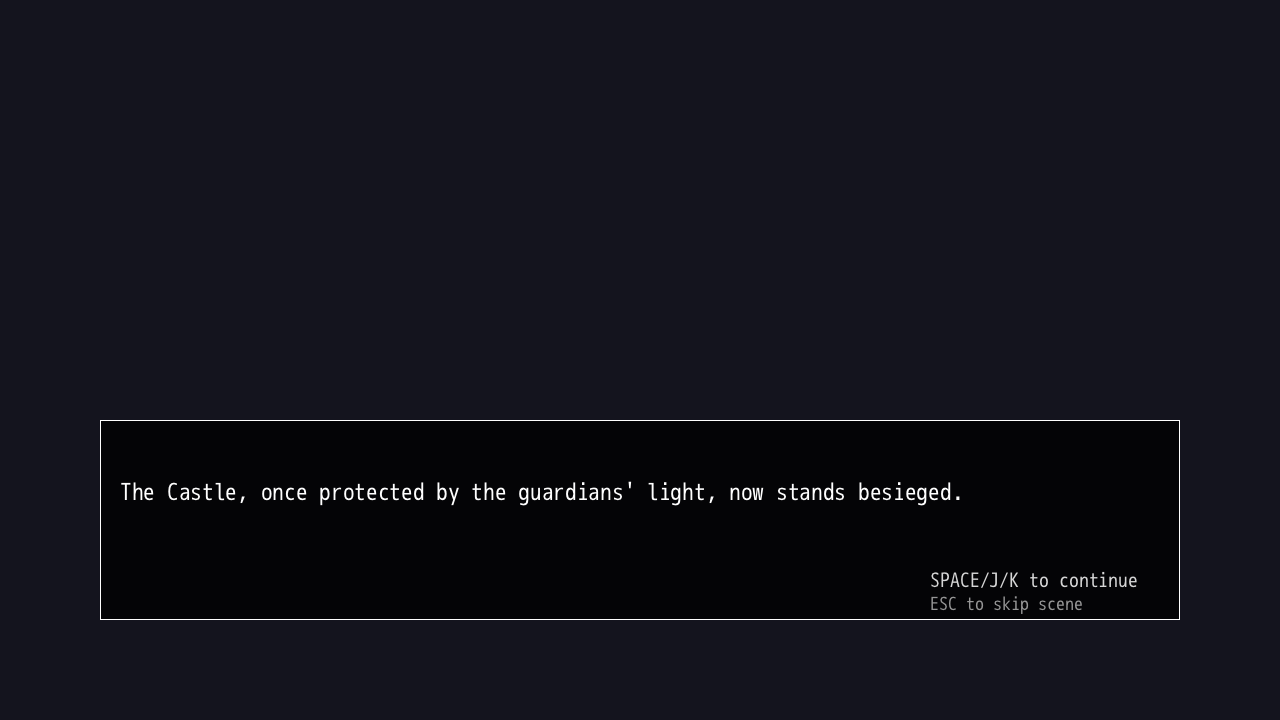
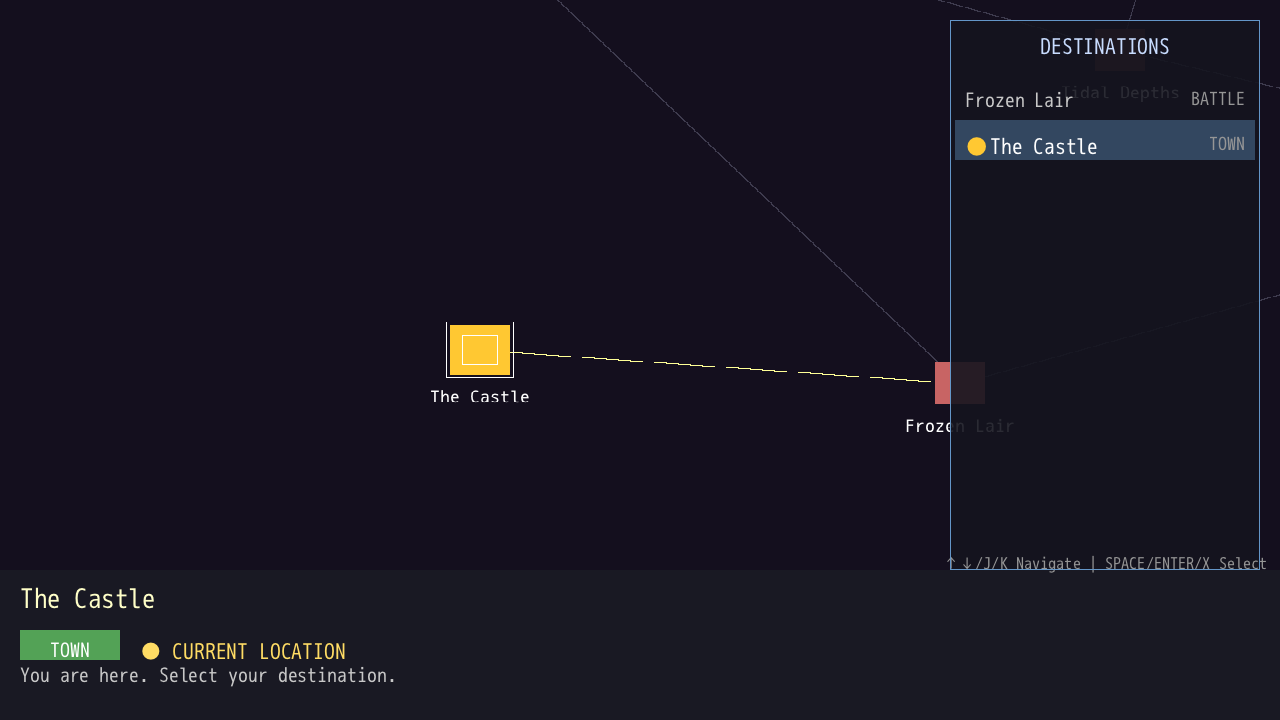
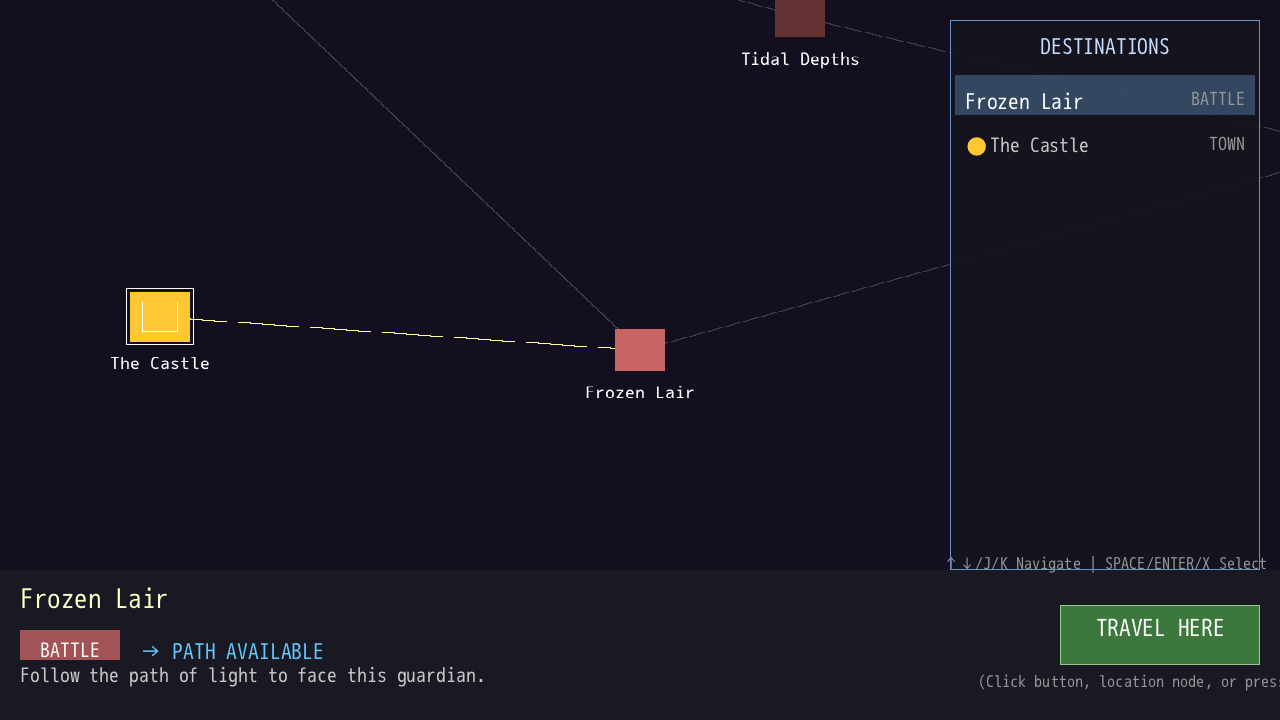
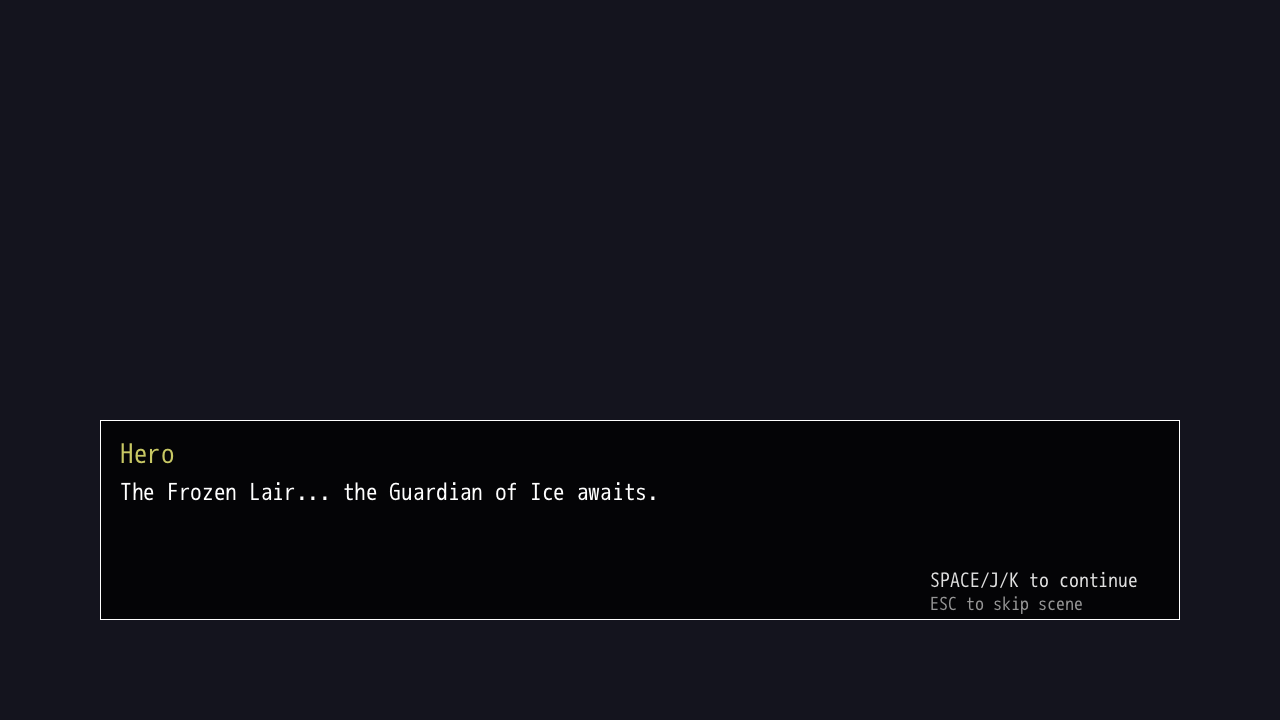
intro → map → battle node → arrival. every frame captured by the agent, headless, driving these skills.
Skill: playable-by-claude
.claude/skills/playable-by-claude/SKILL.md
A Claude Code agent in a headless sandbox can read and write every file in a DragonRuby project — but it can't see the game. This skill closes that loop: fake a display, render into it, send real keystrokes, screenshot the frame, and read the picture back to confirm what happened. Four moving parts:
Xvfb is a virtual screen, DragonRuby renders into it with the x11 driver, scrot captures it to a PNG, xdotool injects keystrokes. Claude orchestrates all four and reads the images.
Prerequisites
- A DR project laid out the normal way: engine at the repo root, game in
mygame/(mygame/app/main.rbis the entry point). - The Linux
dragonrubyELF binary committed — the Windowsdragonruby.exewill not run in a Linux sandbox. Verify withfile ./dragonruby→ELF … GNU/Linux. - Sandbox packages:
apt-get install -y xvfb scrot xdotool imagemagick
Step 1 — Prove the engine boots (no display, no input)
Cheapest check: run with the dummy driver for a few seconds, grep for exceptions.
Don't name that variable SECONDS — bash auto-increments it and your duration goes haywire.
Step 2 — Render to a real framebuffer and screenshot
Use SDL_VIDEODRIVER=x11, not dummy — dummy skips rendering and gives you a solid black PNG. And give DragonRuby ~8 seconds to initialise and draw its first frame, or you capture a blank grey window.
A real game frame is > 5 KB; a blank one is under 2 KB — a free assertion.
Step 3 — ⭐ The one rule that actually matters
Drive every visual test as a single, self-terminating process.
In the Claude Code web sandbox, a tool call that starts Xvfb and leaves it running gets SIGKILLed the moment the call returns — and the kill swallows all output, so it looks like a bare exit 1 with nothing printed. You cannot boot the game in one tool call and screenshot it in the next; by then it's already dead. There's also a ~14-second wall on a single background task. So boot, wait, keypress, screenshot, and teardown all happen inside one script, launched with setsid … < /dev/null & so the engine isn't tied to the terminal that's about to die.
Run it through the agent's run-in-background facility so it completes on its own, then Read the PNG it leaves behind.
Step 4 — Send input and play
xdotool taps keys into the focused Xvfb window. Find a game's keys by grepping its input dispatch:
Then it's a timed sequence — advance the intro, jump to the map, pick a node, confirm:
Give a freshly-loaded scene ~1s to become interactive before the next key, or it gets dropped. Boot time drifts ~1s per run, so chaining four-plus timed presses is fragile — for anything deep in the game, bind a dev-only teleport hotkey (gated by $gtk.production?) that jumps straight to the scene and screenshot that instead of walking there each run.
Step 5 — Verify, three ways
The picture shows what rendered, the log says why, the file size is a blank-frame tripwire.
For regression testing, diff against a known-good baseline: compare -metric RMSE baseline.png current.png diff.png.
Step 6 — Inspect live state (optional, powerful)
DragonRuby's dev build runs an HTTP server with a remote-eval endpoint. Enable it in mygame/metadata/cvars.txt (webserver.enabled=true, webserver.port=9001), then read or poke live state without touching source. The picture shows what rendered; eval tells you why. Full detail in the dragonruby-live-inspection companion skill below.
Hard rules (the checklist)
SDL_VIDEODRIVER=x11, neverdummy, for anything you want to screenshot.sleep 8after launch before the first screenshot.- One self-terminating process per visual test; screenshot by ~12s (the ~14s kill wall).
- Wait ~1s after a scene transition before the next key.
- For deep scenes, add a dev teleport hotkey in
mygame/app/smoke_debug.rb, gated by!$gtk.production?, instead of walking there each run. - Commit the Linux ELF
dragonrubybinary, not the.exe.
Gotchas, ranked by how much time they cost
| Symptom | Cause | Fix |
|---|---|---|
Bare exit 1, no output | Tool call left Xvfb running and got killed | One self-terminating script, run in the background facility |
| Black PNG | SDL_VIDEODRIVER=dummy | Use x11 |
| Blank grey PNG | Screenshotted before the first frame | sleep 8 after launch |
| 0-byte / truncated PNG | Hit the ~14s task wall mid-capture | Shorten the script; shoot by ~11–13s |
| Keypress ignored | Sent during a scene transition | Wait ~1s for the scene to become interactive |
| "Display :99 not found" | Xvfb not up yet | Start Xvfb, sleep 1, then launch |
dragonruby: cannot execute | Committed the Windows .exe | Commit the Linux ELF binary |
Companion skills
The playable-by-claude skill leans on these. Drop them into .claude/skills/ alongside it — each is shown in full, frontmatter included.
dragonruby-visual-test/SKILL.md click to expand
Sandbox note (Claude Code on the web)
A shell call that starts Xvfb and leaves it running gets SIGKILLed when the call returns — and the kill swallows the output, so it looks like an unexplained "exit 1" with nothing printed. Fix: drive every visual test through a single, self-terminating process that boots Xvfb + the engine, waits, screenshots, and tears everything down before it exits. Launch with setsid … < /dev/null & so neither is tied to the controlling terminal.
Boot sequence (exact order)
Critical: use SDL_VIDEODRIVER=x11, NOT dummy. The dummy driver skips rendering entirely — you get a black screen. Teardown is the same two pkill lines.
Input simulation
DR's origin is bottom-left, xdotool's is top-left: for a DR button at y: 300, the xdotool y is 720 - 300 = 420. Every xdotool call needs DISPLAY=:99.
Verification strategies
- Read the screenshot — scene titles, HUD text, UI presence, red text = DR exception.
- Log check:
grep -i EXCEPTION /tmp/dr.log | grep -v "~gtk.reset~"(filter normal reset warnings). - File size:
stat -c%s shot.png— >5KB good, <2KB blank. - Regression:
compare -metric RMSE baseline.png current.png diff.png.
Debug-mode teleports (preferred for deep scenes)
The most reliable way to reach a specific scene is built-in debug hotkeys, gated so they only fire when $gtk.production? is false. No code injection at test time, no cleanup, deterministic, and CI can drive the same keys.
Then a visual test is just: xdotool key F3; sleep 3; scrot scene.png.
Adapting to any DR game
Find the scene dispatch (case args.state.scene), each scene's init_* guard and the state it reads on first tick, then the input bindings (keyboard.key_down). Write a teleport per scene, or just boot and screenshot whatever loads first and check the log for exceptions.
dragonruby-live-inspection/SKILL.md click to expand
DragonRuby has a built-in dev HTTP server with a remote eval endpoint that executes arbitrary Ruby in a running game and returns the result — full read/write access to live state without touching source files.
Prerequisites
The server starts on the second tick after boot — wait ~3–5s after launch before requesting.
Eval endpoint (primary tool)
Common queries: current tick Kernel.tick_count; all state keys $gtk.args.state.as_hash.keys.to_s; inspect a key $gtk.args.state.some_key.to_s; serialize an entity $gtk.args.state.some_entity.serialize.to_s; framerate $gtk.current_framerate.to_sf.
You can also mutate state and call methods: $gtk.args.state.some_flag = true, MyModule.some_method($gtk.args), $gtk.write_file("dump.txt", …), $gtk.reset.
Input can't be injected via eval
The C engine controls input state and overwrites Ruby-level changes before the tick reads them — setting keyboard.key_down.space = true does nothing. Instead, call the function the key would trigger: MyModule.handle_action($gtk.args.state). For real input-driven testing, use replay files (--replay), which inject at the engine level.
Other endpoints
GET /dragon/log/— full game log since bootPOST /dragon/reset/— reset game statePOST /dragon/record/·/record_stop/·/replay/— record & replay gameplayGET /dragon/code/— list loaded source filesGET /dragon/control_panel/— HTML reset/record/replay buttons
Tips & common mistakes
Multiline code works (separate with \n or ;); the return value is the last expression; an empty response means it returned nil (add .to_s). Connection refused = the game hasn't finished booting, or the cvars weren't picked up (restart after changing them). Use single quotes around the --data JSON and escape inner quotes.
dragonruby-debug/SKILL.md click to expand
A debugging specialist for DragonRuby GTK. Combines runtime knowledge — 60fps loop, args.state persistence, hot-reload, the bottom-left 1280×720 coordinate system, the render layer order (solids → sprites → primitives → labels → lines → borders → debug) — with inventive techniques.
Where to look first
logs/exceptions/current.txt— most recent exception + backtracelogs/exceptions/game_state_NNNN.txt— state snapshot at the exception tick- Live REPL: press
`/~in the running game —$gtk.args.state.inspect,GTK.reset - HTTP introspection via
dragonruby-httpd(port 9001) — see the live-inspection skill
Exception workflow
- Read
current.txtfor the exception and backtrace. - Read the matching
game_state_NNNN.txtfor exact state. - Open the failing file at the backtrace line.
- Check the usual suspects: Hash/Array primitive mismatch, nil refs (missing
||=), audio props as int instead of float, top-left vs bottom-left coordinate confusion, render-target invalidation. - Propose a specific fix with reasoning.
Debug rendering & watches
Remember: y = 0 is the BOTTOM. y > 720 is off the top, y < 0 off the bottom. A sprite needs a: 255 — alpha 0 is invisible.
Creative strategies
- Time-travel: push
args.state.serializeinto a history ring, dump the last 60 frames when the bug fires. - Conditional breakpoint: on a bad condition, write state to a file,
GTK.notify,$gtk.show_console, and gate the tick. - Differential state: serialize before/after a suspect function and diff the changed keys.
- Assertions:
assert(args.state.player.hp >= 0, "HP below zero")that dumps state and raises.
Avoid generic Ruby advice without DR context, "just add logging" without locations, or fixes proposed before reading the actual error.
dragonruby-perf/SKILL.md click to expand
DragonRuby's loop assumes exactly 60 ticks/sec — a 16.67ms frame budget. Drop below and animation drifts, audio desyncs, input feels laggy. Profile first, then optimize.
Profiling workflow
Boot headlessly (see dragonruby-visual-test), navigate to the heavy scene, and instrument the tick to split logic vs render cost:
Logic high → O(n) scans, allocations, Math calls. Render high → too many primitives or hash-form solids. Both low but FPS still drops → it's engine/audio overhead, or Xvfb's software renderer (test a known-simple scene to rule the environment out).
Top optimizations (in priority order)
- Array-form primitives — usually the single biggest win. mruby Hash allocation is expensive; a flat array skips it.
# SLOW: a new Hash every frame args.outputs.solids << { x: 100, y: 200, w: 50, h: 10, r: 255, g: 120, b: 0, a: 200 } # FAST: flat array — [x, y, w, h, r, g, b, a] args.outputs.solids << [100, 200, 50, 10, 255, 120, 0, 200]Solids/borders
[x,y,w,h,r,g,b,a], lines[x,y,x2,y2,r,g,b,a]. Labels are hash-only (and usually few). - Kill
Math.sinin hot paths — replace shimmer/pulse with a triangle wave ortick.even? ? 1 : -1. Keep it only for large, slow, visible oscillations. - No per-frame O(n) scans — replace
timeline.count { … }and.find { … }with incremental counters and forward-only cursors. - Cache expensive lookups — don't
File.exist?every frame; memoize in a global hash. - Reduce density — a 60-solid FPS sparkline can cost more than the scene; show one label instead.
- Avoid
args.audio.keysiteration — track active channels with a counter + expiry queue.
Verify, then clean up
Screenshot the FPS counter during the heaviest moment, check min FPS (not just average) across multiple phases, then remove the timing instrumentation — array-form primitives stay (they're the correct production form, not debug code).
The point isn't the screenshots. It's that the agent stops guessing: it edits a scene, boots the game, looks at the actual frame, and reports what it saw. These skills are how it does that — kept maintained by the agent that runs them.